The Modern, Private
Desktop PDF Suite
All the power of Adobe Acrobat Pro, plus built-in multi-provider AI, local OCR, natural text-to-speech, and full Office conversion. Fast, private, and 100% local on your computer.
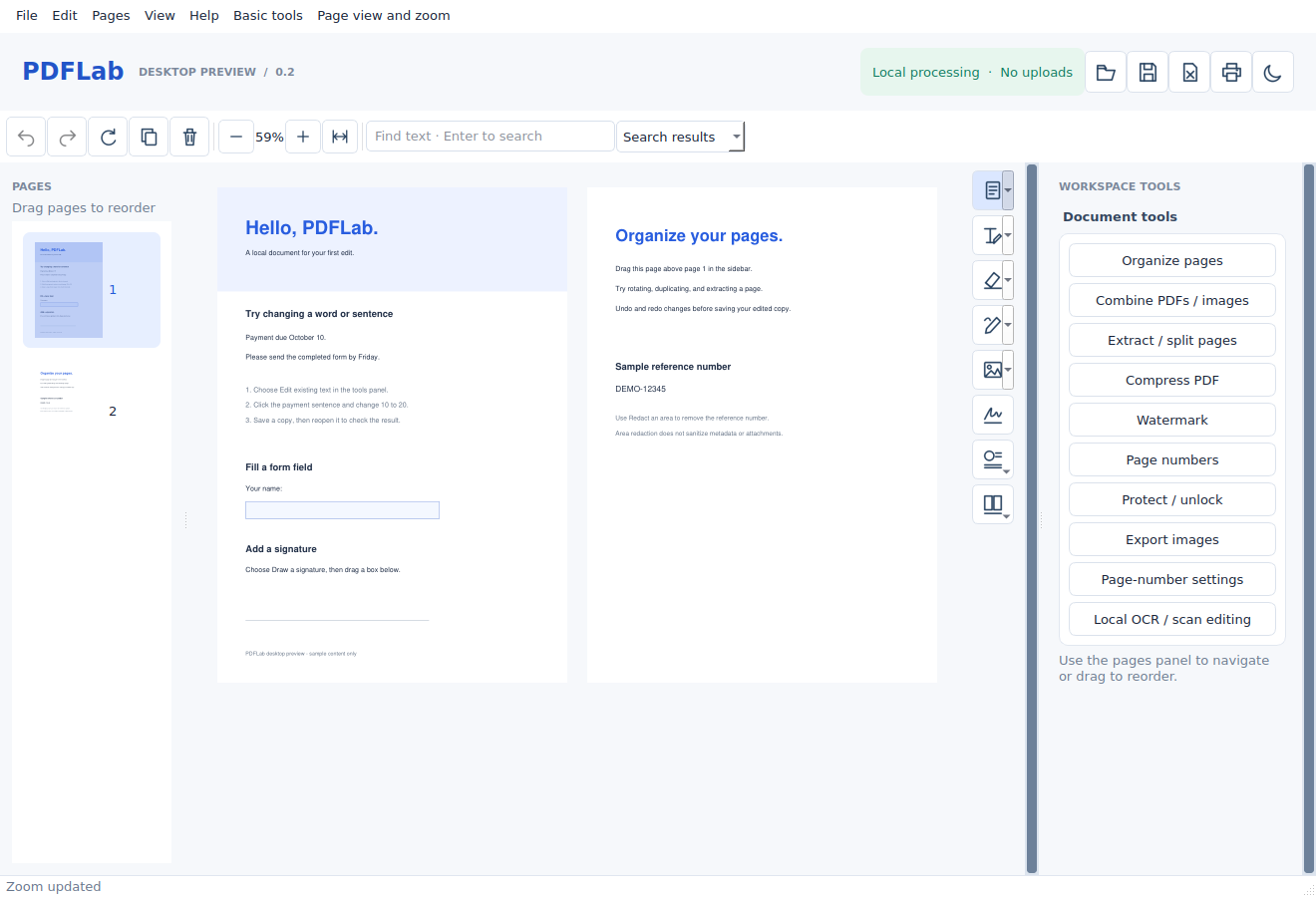
Designed for High-Speed Productivity
Everything you need to organize, edit, convert, and inspect documents with muscle memory color coding.
Page & Structure Management
Visual, fluid control over document layout and page flow.
- Visual Page Reordering with Drag & Drop
- Merge multiple PDFs into a single file
- Split into chapters or extract select pages
- Crop scan gutters & whitespace margins
- 90° rotation, page duplication & deletion
Universal Conversion & Export
High-fidelity conversion across Microsoft Office and image formats.
- Convert Word (.docx) & images to pristine PDF
- Export PDF to Word (.docx) & Excel (.xlsx)
- Export to PowerPoint (.pptx), HTML & Text
- Batch extract embedded images in full resolution
- 3-tier PDF size compression presets
Smart OCR & Content Processing
Turn paper scans into searchable documents without cloud servers.
- Local Tesseract OCR engine (100% offline)
- Interactive form field creation & filling
- Direct in-place text & sentence editing
- Confidential & custom watermarking
- Automated Bates stamping & page numbering
Security, Diff & Diagnostics
Enterprise forensic tools, permission locking, and repair.
- Document Properties (Ctrl+D) & Font Inspector
- Side-by-side visual document diff & comparison
- Self-healing xref table corruption repair
- Password protection & permissions locking
- Permanent blackout redaction with sanitization
Multi-Provider AI Assistant
Built-in AI side panel for deep document intelligence.
- 100% offline local AI via Ollama (Llama 3, DeepSeek)
- Cloud AI with your own key: Claude, GPT-4o, Gemini
- Ask complex questions across 100+ page PDFs
- One-click targeted summaries for the active page
- Zero telemetry — your API keys never leave your PC
Natural Read Aloud (TTS)
Listen to documents with natural pacing and live highlight tracking.
- Smart multi-column reading order detection
- Live word and sentence boundary visual tracking
- Adjustable speed slider (0.5x to 2.0x playback)
- Floating, non-intrusive playback control bar
- Double-click any paragraph to start speaking
Support Independent Development
PDFLab is built and maintained as an independent, free desktop tool. If you find this app useful in your daily workflow, you can support the time and effort behind it with an optional contribution.
PDFLab remains 100% free, unrestricted, and open-source whether you contribute or not. Thank you for your support!
Frequently Asked Questions
Is PDFLab truly free?
Yes, completely. PDFLab is released under the GNU Affero General Public License v3.0 (AGPL-3.0). There are zero trials, no watermarks, and no locked features.
Does PDFLab work offline?
Yes. All core features (viewing, editing, merging, splitting, OCR, Office conversion, and local Ollama AI) work 100% offline without an active internet connection.
How do I run PDFLab on Windows?
Simply download PDFLab-Windows.zip, extract the folder anywhere on your PC, and launch PDFLab.exe. It is fully portable with no administrative installation required.
How does the AI Assistant work?
You can choose 100% free offline AI via Ollama, or enter your own API key for Claude, OpenAI, Gemini, Groq, or DeepSeek. Your keys are stored locally and encrypted.
Can I use PDFLab for commercial and professional work?
Yes! You can use PDFLab in your business, legal, academic, or personal workflow freely in compliance with the AGPL-3.0 open source license.